AI Model Failing in Production? Here’s Why It Happens
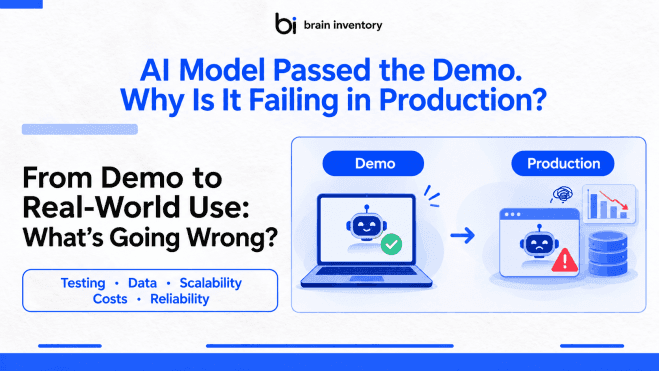
AI Model Passed the Demo. Why Is It Failing in Production?
An AI model failing in production is a common challenge businesses face when moving AI-powered features from testing to real-world applications. Your AI feature might work perfectly during the demo. It answers questions, understands prompts, generates accurate responses, and impresses everyone who tests it. The team was happy. The client approved it. The feature was ready for launch. But a few weeks after deployment, things started looking different.
Users began reporting incorrect answers. Some responses took longer than expected. The application struggled with multiple requests, and API costs started climbing. Even questions that the model answered correctly during testing were now producing inconsistent results. The obvious question was: If the AI model worked so well during the demo, what went wrong after launch? The problem might not be the model itself.
A demo usually shows what an AI feature can do under controlled conditions. Production reveals how it behaves when real users start interacting with it, data keeps changing, requests increase, and unexpected situations become part of everyday usage. This is where many AI projects hit a wall. Building an AI feature that works is one thing. Building one that continues to work reliably after launch is another. Let’s look at what actually causes this gap and why businesses need to think beyond the demo when developing AI-powered applications.
1. Your Demo Had Perfect Prompts. Your Users Won’t.
Think about the last time you used an AI chatbot. Did you always write a perfectly structured question with all the necessary details? Probably not. Sometimes you miss a word, ask something halfway through a conversation, or expect the chatbot to understand what you mean without explaining everything. Real users behave the same way.
During development, teams often test AI models with carefully written prompts. They know what they want the model to do, provide the right context, and check whether the output matches their expectations. But once the feature goes live, users bring questions that developers might never have considered. For example, an AI customer support assistant might answer this question correctly:
“What is your refund policy for orders returned within 30 days?”
But what happens when someone asks:
“I returned something last month, but I still haven’t received my money. Can you check?”
The second question requires more than a general answer about refunds. The application needs to understand the situation, retrieve the right information, and possibly connect with the order management system. If developers only test the first type of question, they miss what happens in actual conversations.
What needs to change?
Teams should test AI features with real-world inputs, including incomplete questions, spelling mistakes, follow-up messages, and unexpected requests. They should also decide what the application should do when it doesn’t understand a question instead of allowing it to generate an unreliable answer. An AI feature should not depend on users knowing how to talk to it. Developers should also understand how prompt engineering and context engineering influence the information an AI model receives before generating a response.
2. The Model Isn’t Getting the Right Information
Sometimes, an AI model gives an incorrect answer because it doesn’t have the right information in the first place. This becomes especially common in applications that use company documents, customer records, or internal databases to generate responses. Let’s say a business builds an AI assistant that answers employee questions using its internal documents.
During the demo, developers upload a few relevant documents, test common questions, and get accurate answers. After launch, the company adds hundreds of new documents. Some contain updated policies, others have outdated information, and a few discuss similar topics with different details.
Now the AI assistant has a bigger information library, but that doesn’t automatically make it smarter. It might retrieve an outdated policy, miss an important document, or use information that doesn’t directly answer the user’s question. This is where the quality of the information matters just as much as the model generating the response.
One approach developers use to address this problem is Retrieval-Augmented Generation (RAG). Instead of expecting the model to rely only on what it already knows, RAG helps it retrieve relevant information from external sources before generating an answer. But even RAG needs the right setup. If the system retrieves irrelevant or outdated information, the model can still produce an incorrect response.
This is why developers need to pay attention to how applications organise, retrieve, and update information. The choice of storage also matters, especially when an application needs to search through large amounts of information based on meaning rather than exact words. This is where vector databases become useful. For a deeper understanding, explore our article on how AI memory works in Large Language Models and why retrieving relevant information matters. The bigger point is simple: giving an AI model access to more data doesn’t guarantee better answers. The application needs to find the right information at the right time.
3. One User Is Easy to Handle. A Thousand Are Different.
During a demo, a developer might test the application with one or two users. The response arrives quickly, everything looks smooth, and nobody notices a problem. Then the application goes live. Hundreds of users start sending requests at the same time. Each request needs processing, some require additional information, and others trigger external services.
Suddenly, responses take longer. This happens because an AI application depends on more than the model’s ability to generate an answer. The server, database, APIs, and other parts of the application also need to handle the growing workload. Imagine an AI-powered shopping assistant. One user asks for product recommendations, another wants to check an order, and several others ask about product availability.
Each interaction may require the application to retrieve information, communicate with other systems, and generate a response. If the application wasn’t designed to handle multiple requests efficiently, even a powerful AI model won’t save the overall experience. This is where scalability and performance optimization become important.
Developers need to test how the complete application behaves when traffic increases, identify slow operations, and make sure the infrastructure can handle more users without affecting the experience. Our guide on backend scalability and why systems fail under load explains how growing workloads expose weaknesses in application infrastructure. A feature that works for ten users should not become unreliable when ten thousand users start using it.
4. Every AI Request Costs More Than You Think
An AI demo rarely gives businesses a realistic idea of what running the feature will cost. A few test prompts and occasional API calls might not create a noticeable expense. Production usage is a different story. Consider an AI assistant that needs to process a user’s question, retrieve relevant information, review previous conversation details, and generate a response.
Each step can add to the overall cost. Now imagine thousands of users interacting with that assistant every day. The application may start consuming more tokens, making repeated requests, or sending unnecessary information to the model. Long conversations can also increase the amount of data the system processes with each interaction.
What looked like an affordable feature during testing can become an expensive part of the product. The solution isn’t always to stop using a powerful model. It’s to use it more thoughtfully. Developers can reduce unnecessary requests, avoid sending irrelevant conversation history, reuse repeated results where appropriate, and choose smaller models for simpler tasks.
They should also track how much each interaction costs instead of looking only at the total monthly API bill. This becomes particularly important for businesses building AI features that they expect customers to use regularly. The question shouldn’t just be whether the model can perform a task. It should also be whether the application can afford to perform that task thousands of times.
5. The AI Gives a Confident Answer. But Is It Correct?
One of the biggest challenges with AI-generated responses is that they can sound convincing even when they’re wrong. During a demo, developers usually know the correct answers. They test specific questions, identify mistakes, and make changes until the output looks right. Real users don’t have that advantage.
Imagine an AI assistant helping customers understand their subscription plans. A user asks whether a particular feature comes with their current plan. The assistant gives a clear answer, but it uses outdated pricing information. The response sounds perfectly reasonable. The customer believes it. But the information is incorrect. This is what makes AI hallucinations particularly difficult to manage. An incorrect response doesn’t always look like an obvious error.
The problem becomes more serious when businesses use AI for financial information, customer support, healthcare-related services, or other areas where inaccurate answers can have real consequences. Developers need to build checks around AI-generated responses rather than assuming the model will always get things right.
For example, applications can verify important information against trusted sources, apply business rules before displaying certain outputs, and direct sensitive requests to human teams. The goal isn’t to expect AI to know everything. It’s to make sure the application recognises when it doesn’t have enough information to provide a reliable answer.
6. The AI Works, But the Rest of the Application Doesn’t
Here’s something development teams sometimes overlook: an AI model can return a perfectly valid response while the application around it still fails. Think about an AI feature that connects with a company’s CRM, payment system, or customer database. The model understands the user’s request and generates the right response. But the application also needs to communicate with these external systems to complete the task.
What happens if the API doesn’t respond? What if the request times out? What if the application receives incomplete information? The user doesn’t care whether the model worked correctly if the feature still fails to deliver what they asked for. This is why AI applications need the same attention to secure API development, error handling, and system integration as any other software product.
Developers should make sure the application handles failed requests, protects sensitive information, checks responses from external services, and provides useful feedback when something goes wrong. They should also avoid building the entire experience around a single point of failure. An AI model might be the most visible part of the feature, but it is rarely the only part responsible for making that feature work.
7. Launching the Feature Isn’t the End of Testing
Many teams spend considerable time testing an AI feature before launch but don’t give the same attention to what happens afterward. The problem is that AI applications don’t operate in a fixed environment. Users change how they interact with the system. Business information gets updated. Developers introduce new features, modify prompts, and sometimes switch to newer model versions. Even a small change can affect how the application behaves.
For example, a prompt update might improve responses to one type of question but make another type less accurate. A new model version might generate a slightly different output format, which could affect how the application processes the response. Without regular testing, teams might not notice these changes until users start reporting problems. This is where continuous integration and continuous deployment (CI/CD) practices become useful.
Instead of treating testing as something that happens only before launch, teams can build regular checks into their development process. Whenever developers change the application, they can test whether existing features still work as expected. Teams should also monitor response quality, error rates, application speed, and usage costs after deployment. The idea is simple: don’t assume that an AI feature will keep working just because it worked last week.
What Should Businesses Check Before Taking an AI Feature Live?
Before moving an AI feature from a successful demo to a real product, development teams need to look beyond whether the model generates impressive responses. A few questions can help identify problems before users experience them:
- Does it handle unexpected questions? Test incomplete prompts, follow-up messages, and situations that don’t match the original demo.
- Does it use the right information? Check whether the application retrieves relevant and updated data before generating responses.
- Can it handle more users? Test the complete application under realistic traffic instead of checking only individual model responses.
- Are the running costs manageable? Track API usage, token consumption, and the cost of individual interactions.
- Can it recognise incorrect information? Add validation and clear fallback options for situations where the model cannot provide a reliable answer.
- Does the complete feature work? Test connections with databases, APIs, and other services that the AI depends on.
- Can the team identify problems after launch? Set up regular monitoring and testing instead of waiting for customer complaints.
These checks help teams move away from building AI features that simply look impressive and towards applications that people can actually depend on.
AI Model Failing in Production: Final Thoughts
An AI model passing a demo is a good start, but it doesn’t tell the complete story. The real challenges begin when the feature meets unpredictable user behaviour, growing data, increasing traffic, and the everyday demands of a live application. And most of these problems don’t come from the AI model alone. They come from the way developers build the systems around it. A better model might improve response quality, but it won’t automatically fix poor data, slow APIs, rising infrastructure costs, or an application that struggles with more users.
Businesses need to look at the complete picture before calling an AI feature production-ready. At Brain Inventory, we believe successful AI development goes beyond making a model work. It means building the right foundation around it so the application remains useful, reliable, and ready to grow. Because impressing someone during a demo is easy. Building something they can rely on every day is the real achievement.
Have an AI-powered product in mind? Connect with Brain Inventory to explore how the right development approach can take your idea from experimentation to a production-ready solution.

Have an idea?
Get in touch, we’d be
happy to hear from you
We are always looking out for new collaborations, whether you are a client who is passionate about a project or a talent who is interested in joining our team, our doors are always open.
locate us

India (HQ)
618, Shekhar Central, Palasia Square, A.B Road, Indore, Madhya Pradesh, 452001
+918109561401

United Kingdom
Brain Inventory, SBVS, 8 Roundhay Road, Leeds, UK, LS7 1AB
+18008209286

Canada
44 Main Street East Milton, ONCanada L9T 1N3
+4166696505

Jordan
185 Wasfi Al-Tal Street, Ammon Oasis Complex P.O Box 4724 Amman 11953 Jordan
+960770781000

USA
720 Seneca St Ste 107 Seattle, USA 98101
+1(206)6533419
if it's digital,we'll make it.
- Numetric - Online Accounting Software similar to QuickBooks
- Bloomia - Kegel exercise
- Virifi - Blockchain Powered Document Certification & Signing Platform
- Revolution Travel CRM - Custom CRM Built for Travel Agents
- Fatoura - Online Invoicing Platform
- My Fit Mantra - Your health partner
- Ocureel - Relation Building and video sharing Application




Follow us:


